![PBNlogo no background.svg]](https://support.practicenumbers.com/hubfs/PBNlogo%20no%20background.svg)
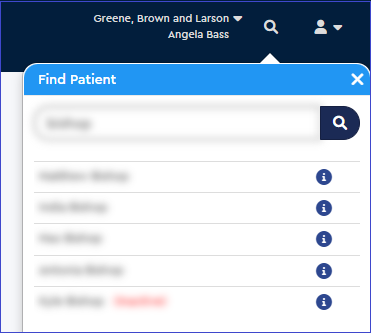
Look for the magnifying glass icon at the top right of the Practice by Numbers site to begin searching for a patient.

Once you click on the icon, it will open a search bar for you to input the patient information. You can search for the patient by their first name, last name, or ID number from your practice management system. (The blurred red text below indicates the patient is inactive.)
With the results listed, you can click on any patient to open their Patient Information Window.