![PBNlogo no background.svg]](https://support.practicenumbers.com/hubfs/PBNlogo%20no%20background.svg)
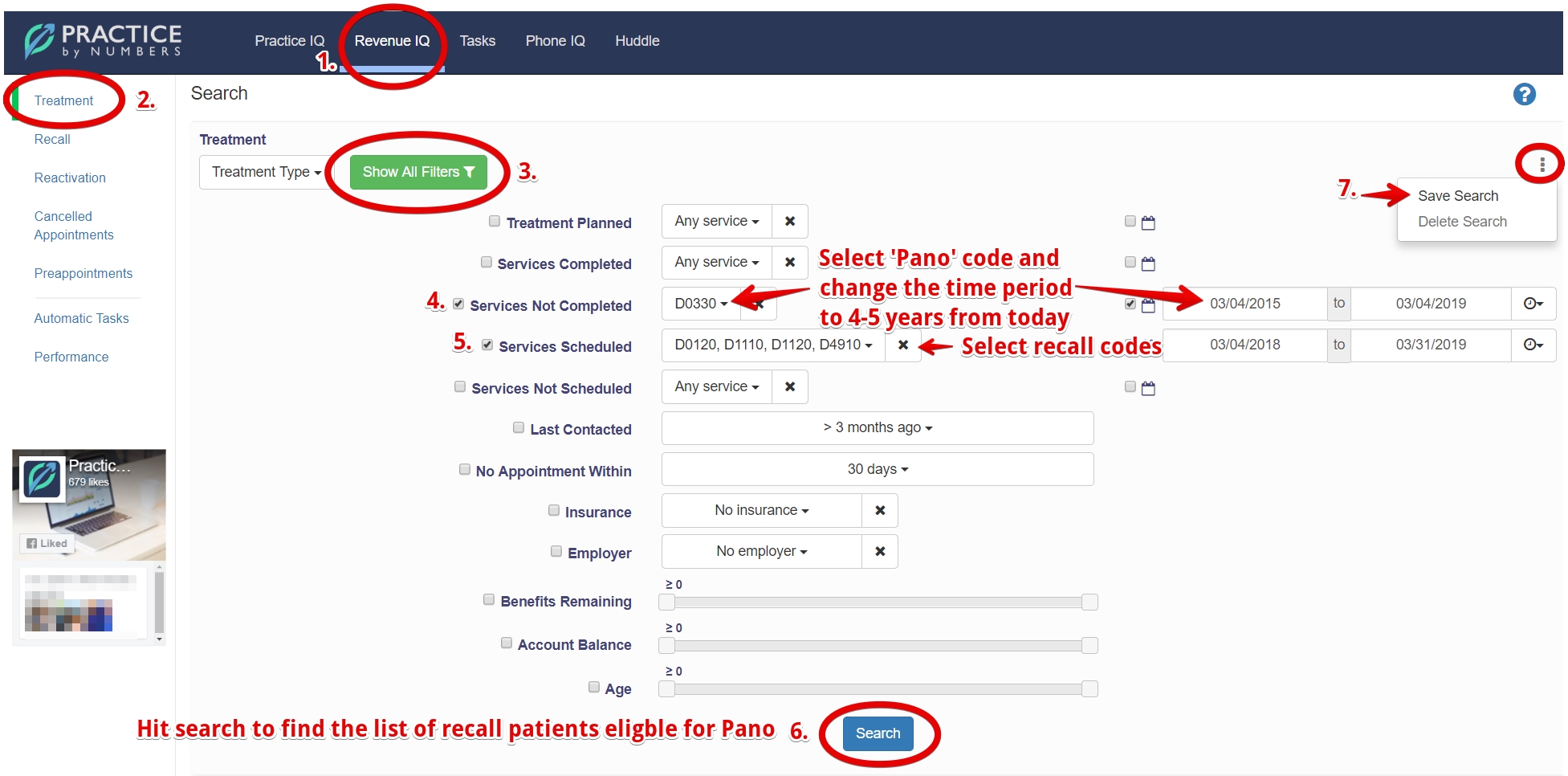
Follow the following steps to find recall patients eligible for Panoramic film:

-
Go to RevenueIQ
-
In there, go to the Treatment section
-
Click on 'Show all filters' to expand all filters
-
Go to the 'Services Not Completed' filter and select the Panoramic film D0330 service code and set the time period to 4-5 years ago from today. The aim is to find patients without a Pano in the last 5 years.
-
Go to the 'Services Scheduled' filter and select the recall service codes, for example - D1110, D1120, D4910, D0120, etc. Also, select the time period - a week, a month, or a year.
-
Hit 'Search' to find a list of recall patients eligible for a Pano.
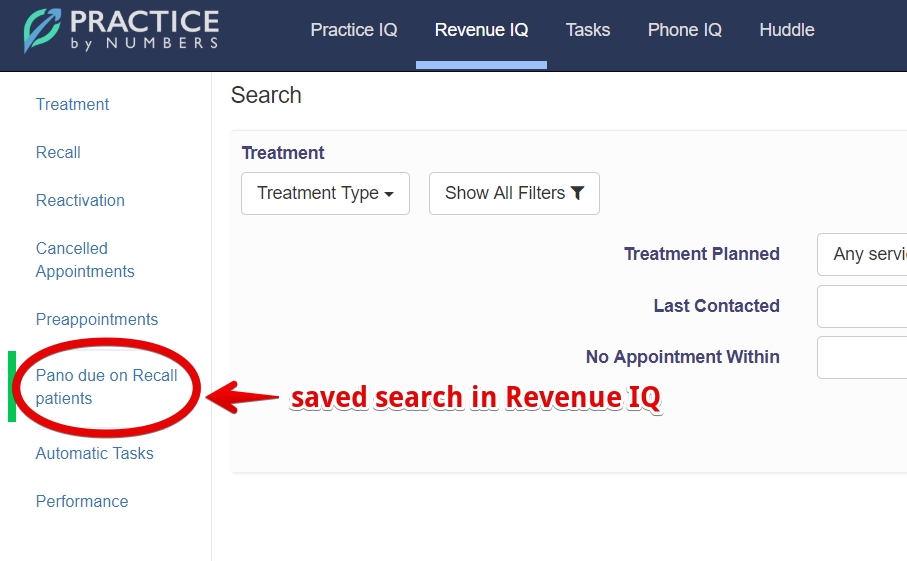
7. Click on the three dots to Save your search and then run the same report regularly.
You may also like this article on Saved RevenueIQ searches.