![PBNlogo no background.svg]](https://support.practicenumbers.com/hubfs/PBNlogo%20no%20background.svg)
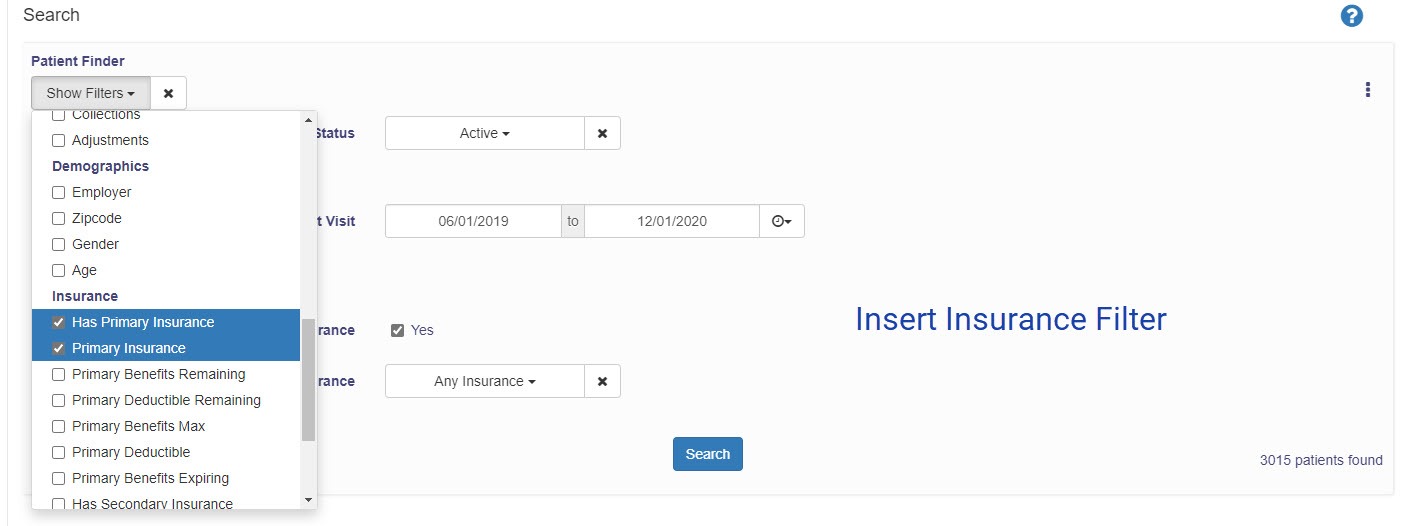
To get not just a total but a complete list of every active patient that is not associated with any benefit plan, go to the Revenue IQ Patient Finder area.
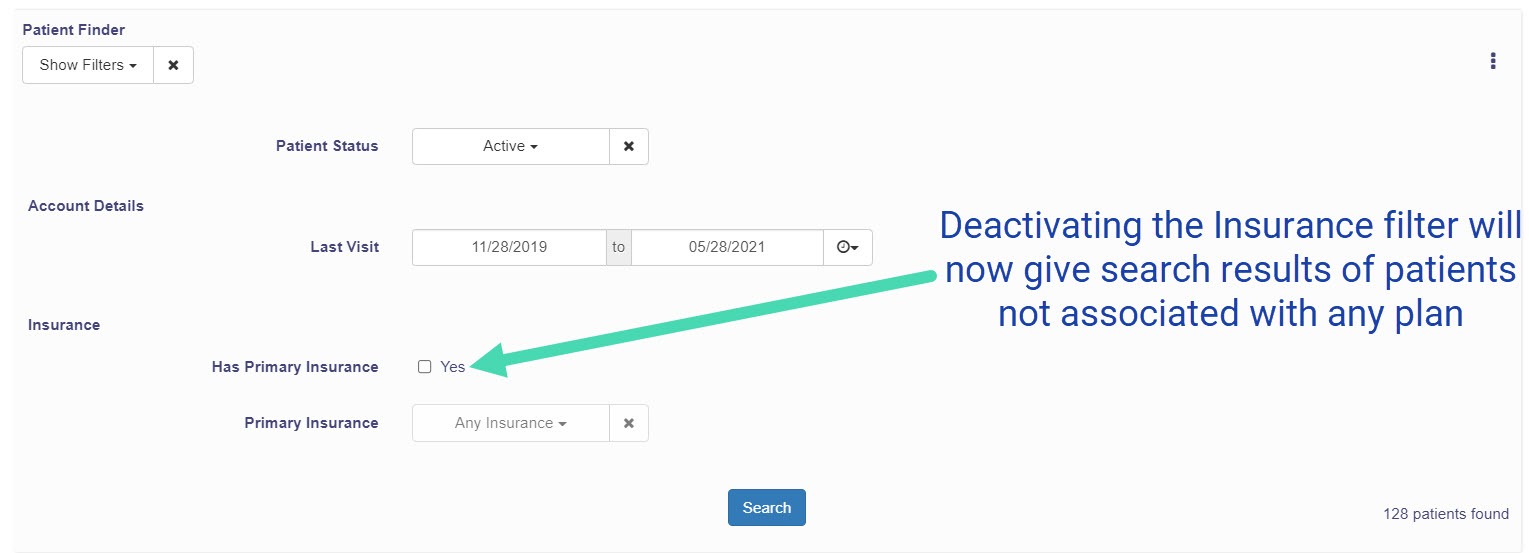
You will search for Active Patients while inserting a Last Visit filter with a date range of the previous 18 months. Then, insert an insurance filter, but you will deselect the "Yes" checkbox before selecting the search button.