![PBNlogo no background.svg]](https://support.practicenumbers.com/hubfs/PBNlogo%20no%20background.svg)
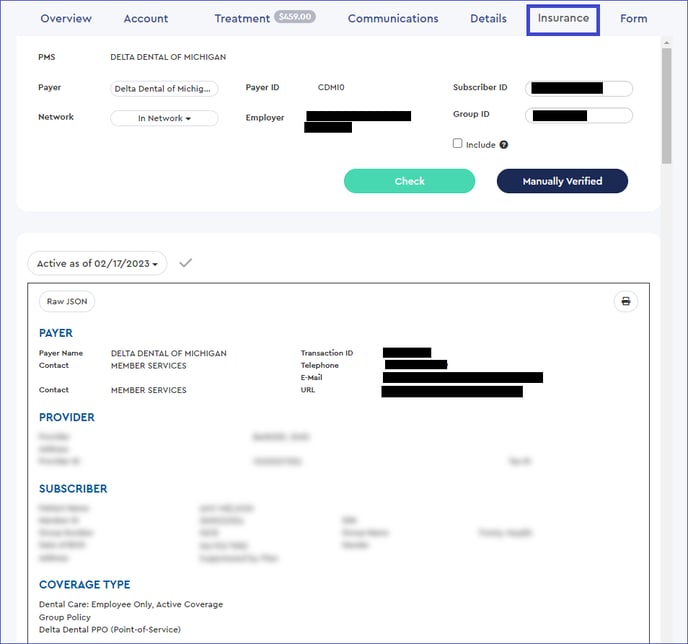
Before you run a verification, please ensure your verification settings are filled out. First, open up the Insurance page at the top of PBN to run the verification.

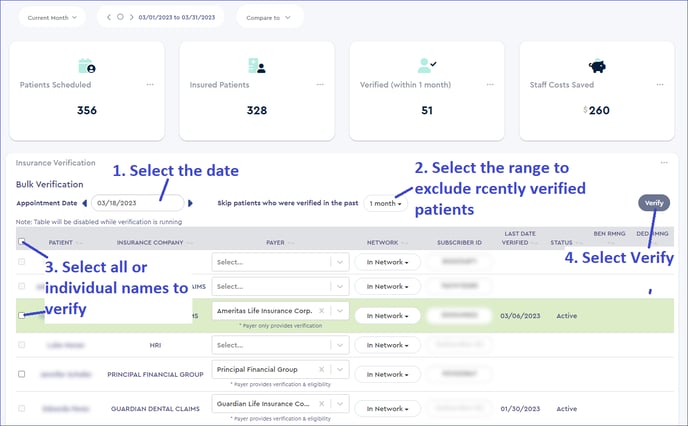
Next, you'll be able to select the appointment date you would like to verify. You can filter out any recently verified patient (for example, if they have been seen recently).
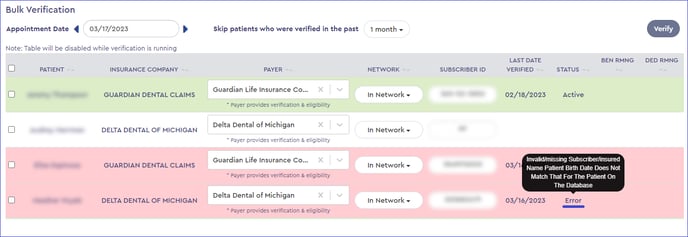
For each patient, the results will either be green, indicating a successful verification, or red, indicating an error. You can hover your mouse over the Error for additional information.
To view the extensive information from the verification, you can click on the patient's name to open their information window.